INTERACTIVE LINED SCRIPT
This is the feature that ties everything together. Draw coverage lines directly on your screenplay pages and Lína automatically builds your shot list, populates storyboard frames, and feeds data into your schedule. No other tool at this price does this; most don't do it at all.
DRAW COVERAGE LINES
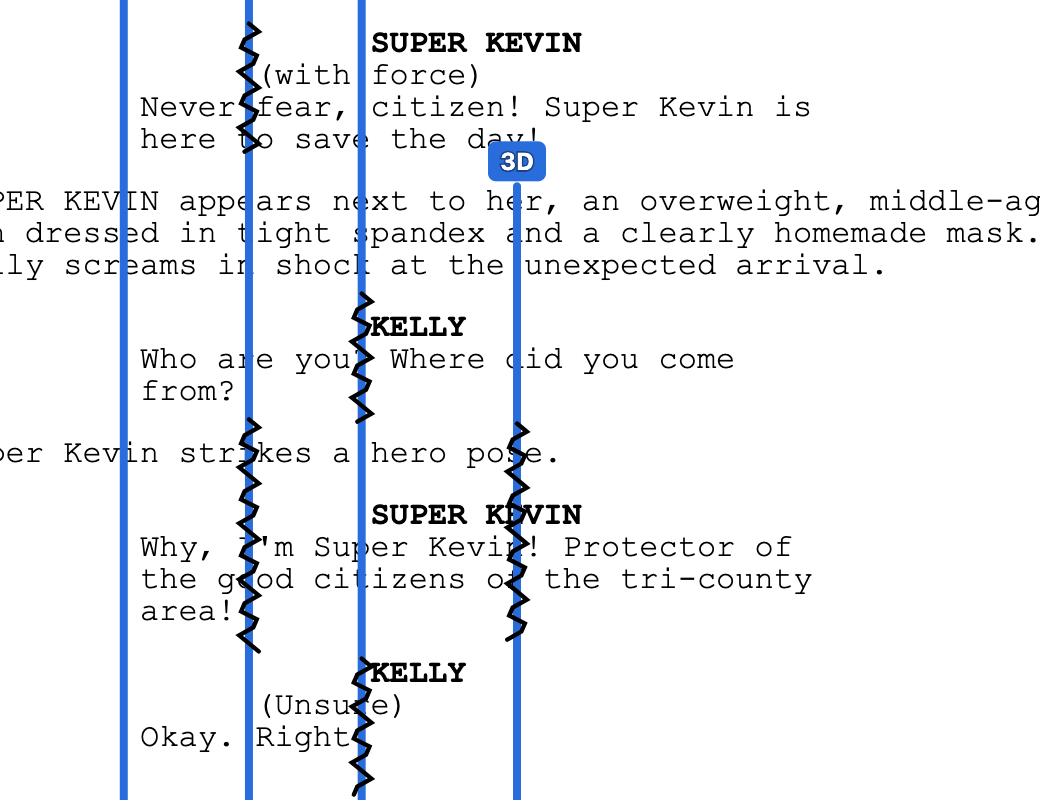
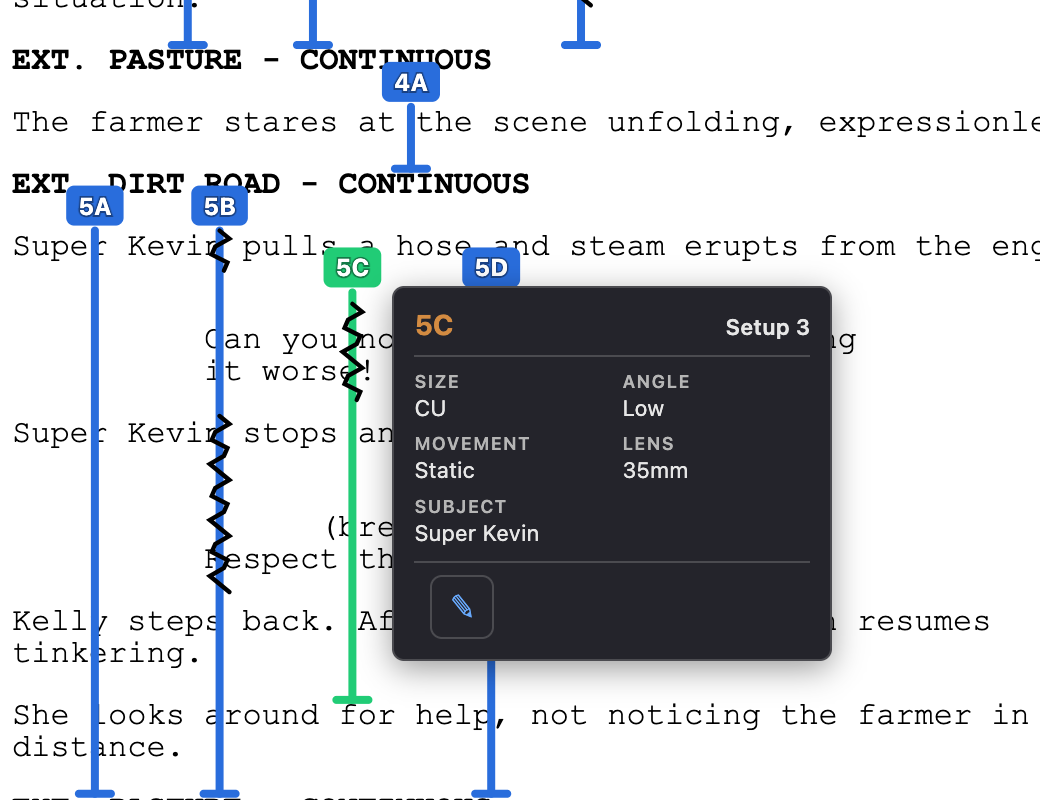
Visualize your coverage by clicking and dragging to draw lines directly on the screenplay page. Each line drawn automatically creates an entry in the shot list.
MOVE & RESIZE
Drag lines to reposition them. Resize from to adjust coverage. Lines snap to clean positions and stay anchored to the script text through revisions.
SQUIGGLES & ANNOTATIONS
Mark off-screen dialogue with squiggles on the line. Each shot's details are viewable and editable from a popover right on the page.
AUTO SHOT LIST GENERATION
Every line drawn creates a corresponding shot with fields for framing, lens, movement, and more. Delete a line and the shot disappears. They stay in sync.
SCRIPT RECONCILIATION
When the screenplay changes — new content, deleted scenes, rewritten dialogue — Lína reconciles your coverage lines automatically so you don't lose your work.
ZOOM, UNDO & PRINT
Zoom in and out of the lined script for detail work. Full undo/redo history. Print or export the lined script as a clean PDF for your binder.
Connected: Lines drawn here create shots in the shot list and frames in the storyboard. Shot data flows into the schedule and call sheets. Draw once, use everywhere.
SCREENPLAY EDITOR
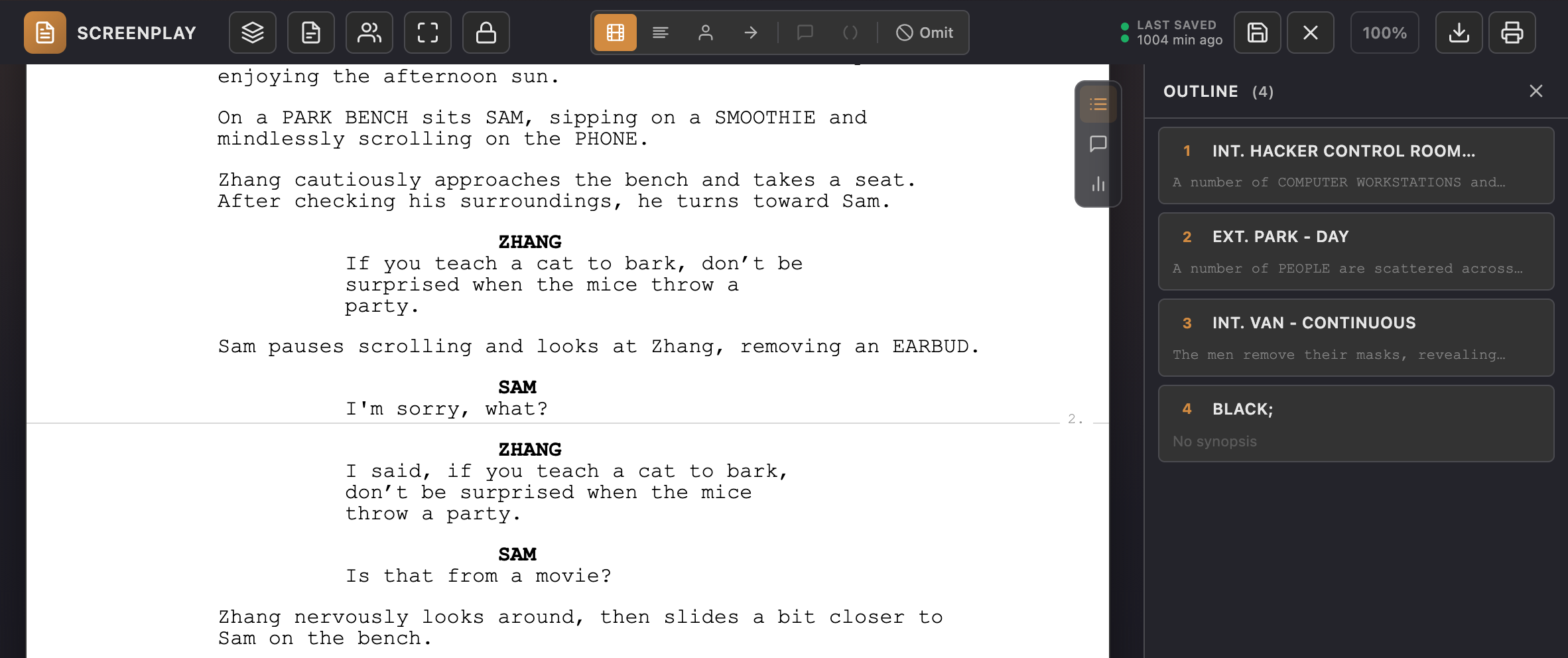
Write directly in Lína with a built-in editor that handles formatting automatically, or import an existing script and start lining it immediately. The screenplay is the center of every project, and everything downstream flows from it.
AUTO-FORMATTING
Type naturally and Lína formats scene headings, action, character names, dialogue, and parentheticals automatically. Tab and Enter navigate between elements the way you'd expect.
CHARACTER & SCENE AUTOCOMPLETE
Character names and scene headings auto-suggest as you type, keeping your script consistent and saving keystrokes on recurring elements.
IMPORT EXISTING SCRIPTS
Bring in screenplays from Fountain (.fountain), Final Draft (.fdx), or plain text files. Lína parses scene structure, characters, and dialogue and calculates accurate page counts using industry-standard 1/8th measurements.
FOCUS MODE & SCENE NUMBERS
Dim everything outside of the page to eliminate distractions. Toggle scene numbers on or off. Track your word count in real time. Print or export the script as a clean PDF.
SHOT LIST & STORYBOARD
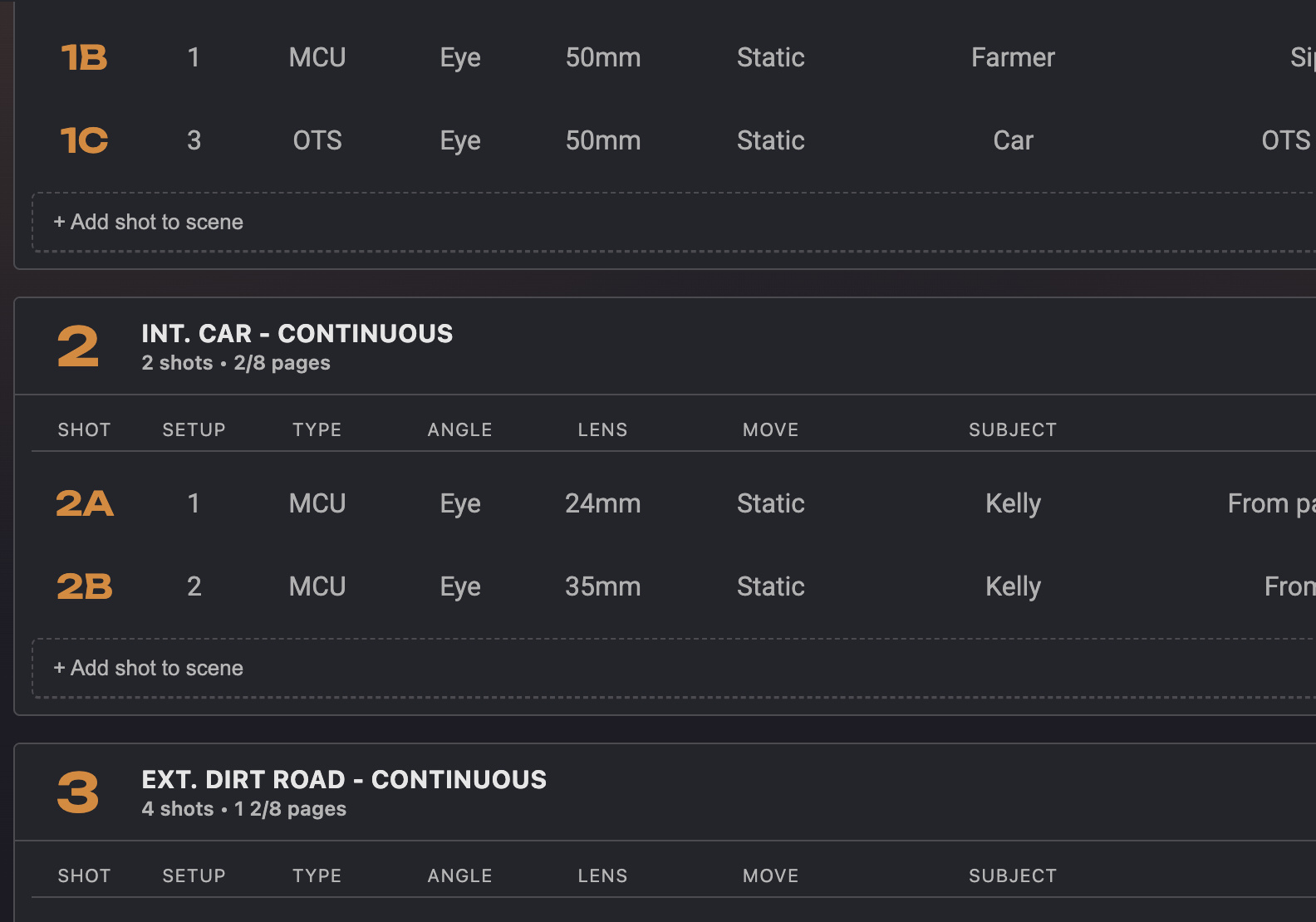
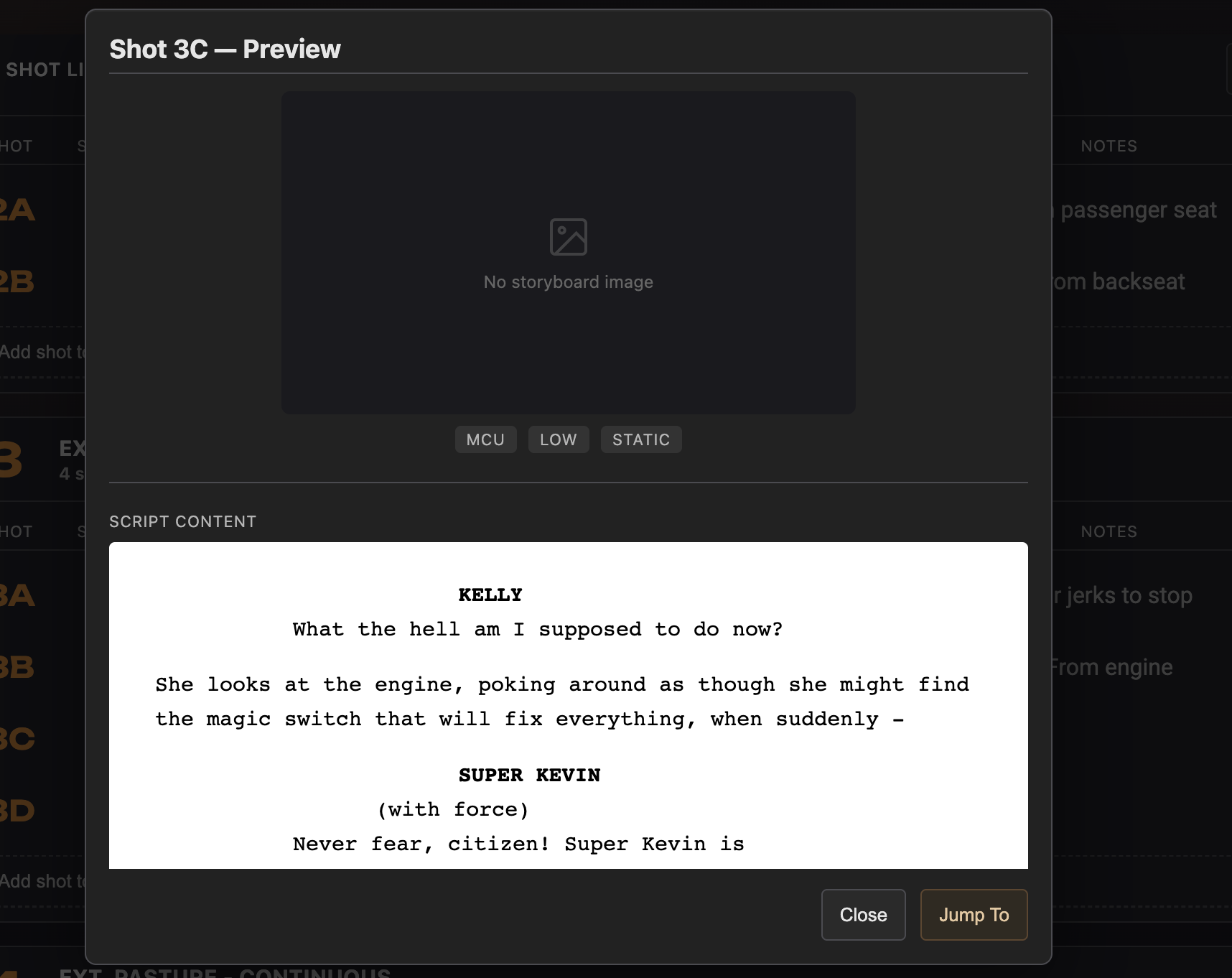
Every coverage line drawn on the script creates a shot with fields for framing, lens, movement, and notes. View your shots as a detailed list or as a storyboard grid with image uploads. Both stay in sync with the lined script and each other.
AUTO-GENERATED FROM LINES
Shots are created automatically when you draw coverage lines on the screenplay. Delete a line, the shot disappears. No duplicate data entry, no drift between views.
LIST & GRID VIEWS
Switch between a detailed shot list table and a visual storyboard grid. Both views show the same data — edit in either and changes propagate instantly.
STORYBOARD IMAGE UPLOAD
Upload reference images, sketches, or storyboard frames to any shot. The storyboard grid gives you a visual overview of your entire scene's coverage at a glance.
SHOT DETAILS
Each shot has fields for shot type, angle, framing, lens, camera movement, subject, and notes. Fill in as much or as little as you need.
Connected: The shot list, storyboard, and lined script share a single lock group for collaboration — edits in any view stay in sync. Shot data feeds into your schedule and call sheets.
SCENE BREAKDOWNS
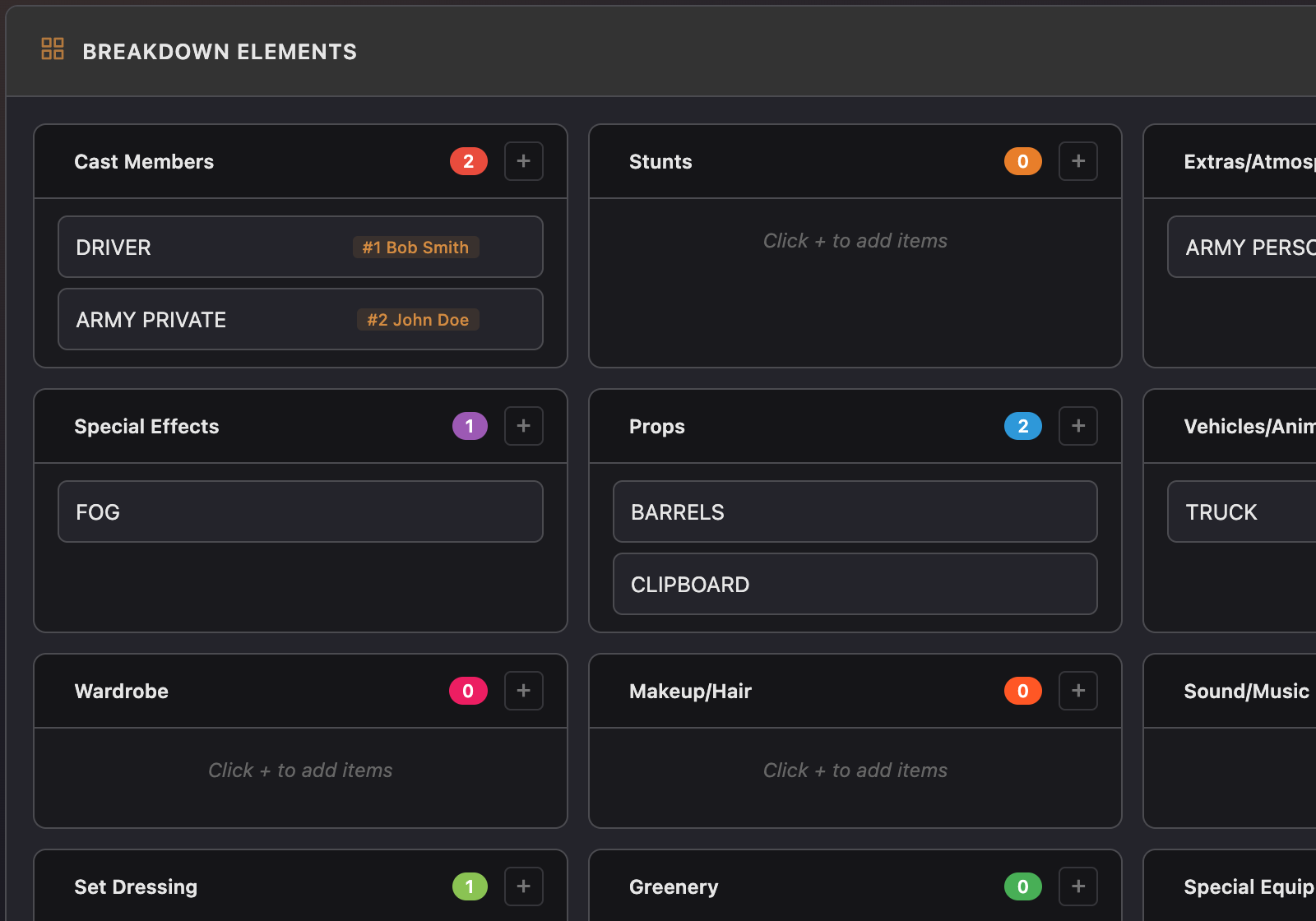
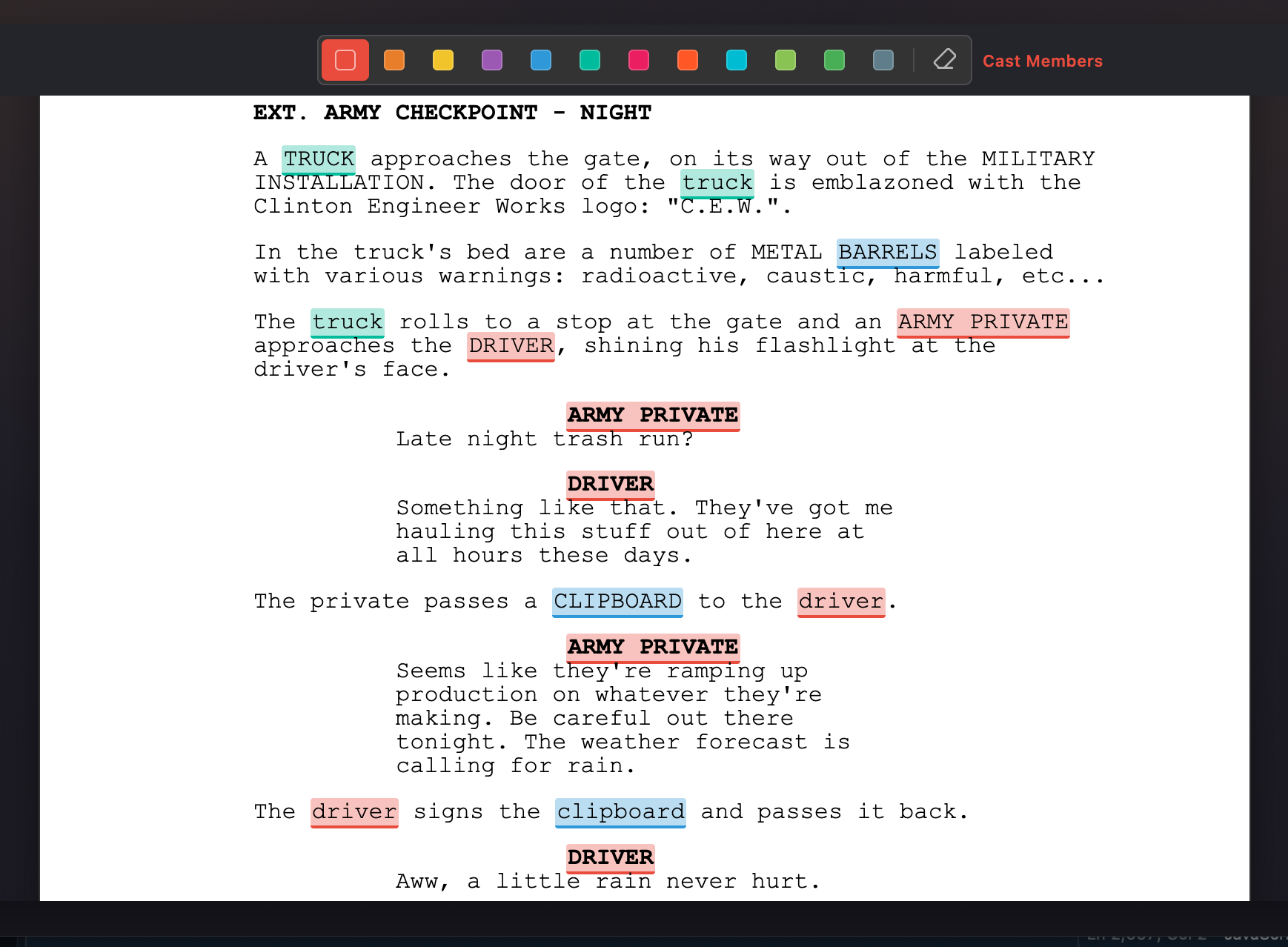
Tag every production element in every scene — cast, props, wardrobe, vehicles, set dressing, special effects, makeup, and more — using a familiar breakdown form with industry-standard color-coded categories.
EP-STANDARD COLOR CODING
Categories follow the Entertainment Partners color standard: cast, stunts, extras, wardrobe, makeup/hair, vehicles, props, set dressing, special effects, and more — all instantly recognizable.
TAG ANYTHING
Add elements to any category in any scene. Items you've tagged before auto-suggest as you type, keeping your breakdown consistent across the whole script.
SCENE-BY-SCENE WORKFLOW
Navigate scene by scene and break down each one. Scene headings, cast, and page counts are pulled directly from the screenplay; no re-typing.
FLOWS DOWNSTREAM
Breakdown data feeds directly into your schedule strips and call sheets. Tag a character in the breakdown and the cast member shows up on the call sheet for that day automatically.
Connected: Cast lists are parsed from the screenplay automatically. Breakdown elements flow into the stripboard and call sheets — tag it once, see it everywhere.
STRIPBOARD & SCHEDULE
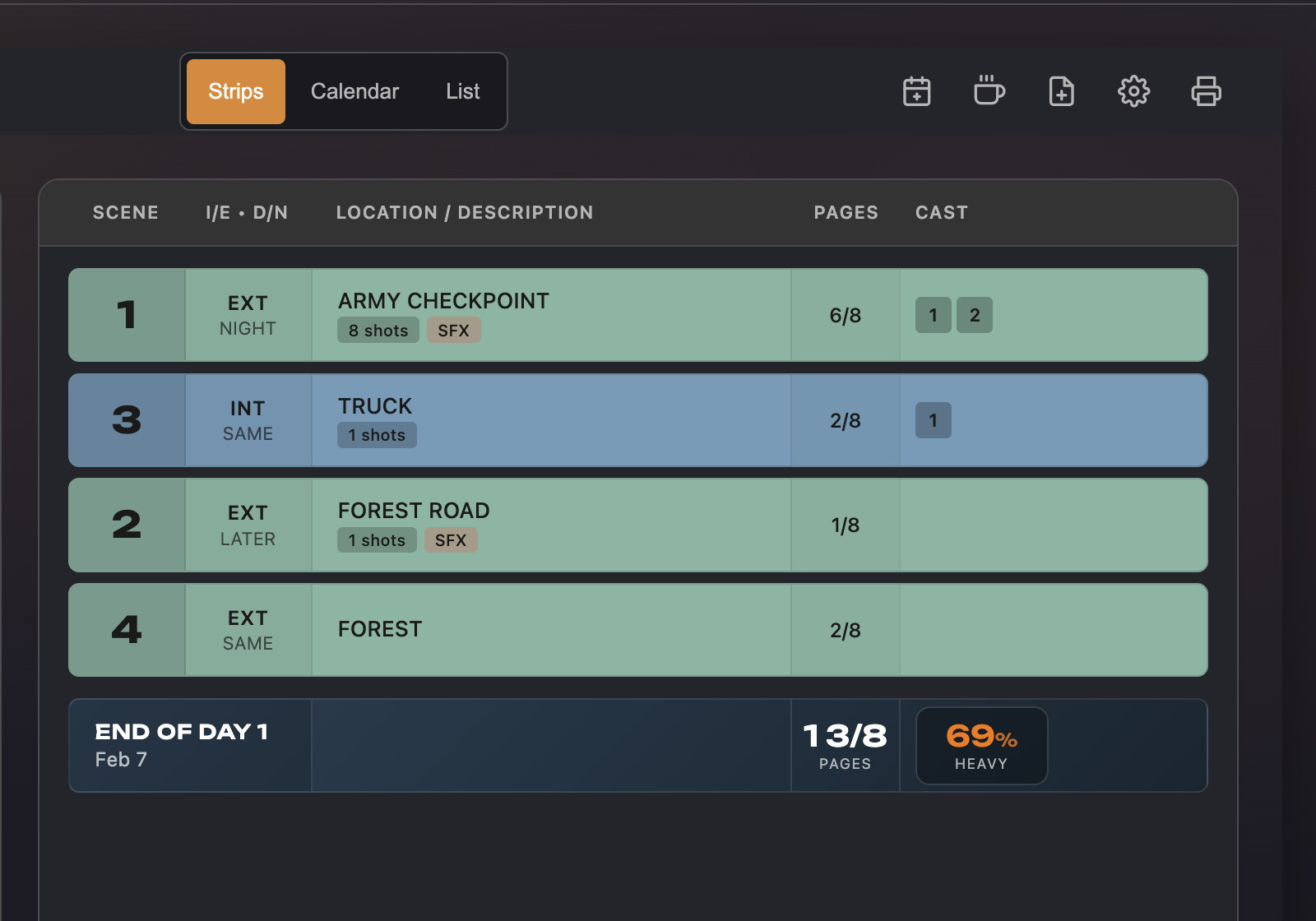
Drag and drop your scenes into production order with a stripboard that follows industry conventions. Add day breaks, meals, and notes, then use the daily complexity score to balance your workload so nobody burns out on day two.
DRAG-AND-DROP STRIPS
Reorder scene strips by dragging them into production order. Each strip shows scene number, INT/EXT, page count, cast, and location, all pulled from the screenplay and breakdowns.
EP-STYLE COLOR CODING
Strips are color-coded by INT/EXT and DAY/NIGHT following the EP convention: white for INT DAY, yellow for EXT DAY, blue for INT NIGHT, green for EXT NIGHT.
DAY OUT OF DAYS
Automatically generated DOOD report shows cast work days, travel, start, finish, and hold days based on the current schedule order. Updates in real time as you rearrange strips.
COMPLEXITY SCORING
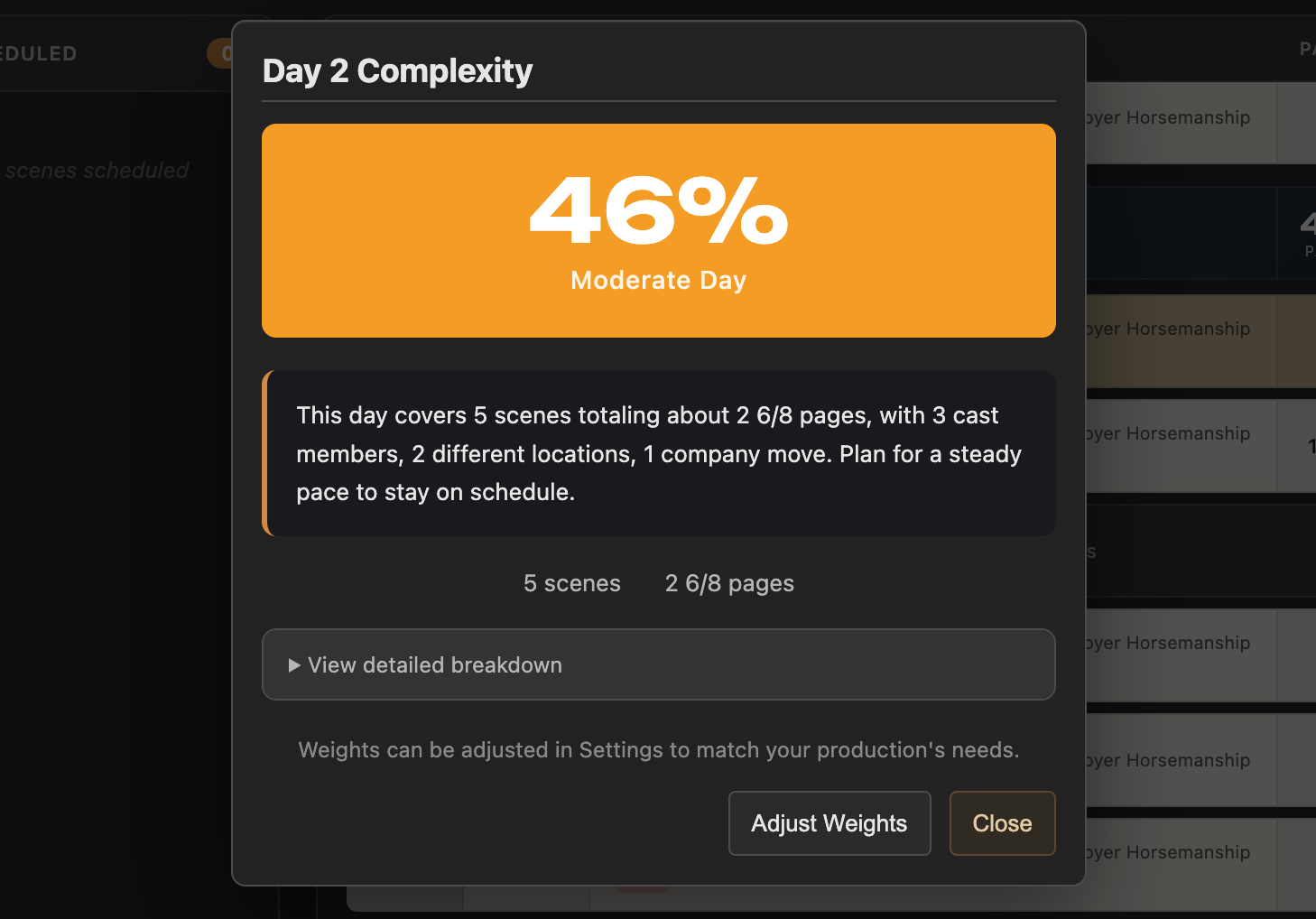
Each shooting day gets a complexity score based on page count, cast count, and breakdown elements. A quick way to spot overloaded days before they become on-set problems.
Connected: Scene data, page counts, and cast come from the screenplay. Breakdown elements populate each strip. The schedule feeds into call sheet generation; one tap to create a call sheet for any shooting day.
CAST, CREW & LOCATIONS
Manage your entire team and every shooting location in one place. Contact details, role assignments, scouting statuses, and notes. All of it feeds into your call sheets automatically when it's time to shoot.
CAST MANAGEMENT
Add cast members with character assignments, contact details, and notes. Character names are parsed from the screenplay automatically, just fill in the details you need.
CREW MANAGEMENT
Build your crew list with roles, departments, contact info, and call time defaults. Everyone you add here shows up on the call sheet when you're ready to send it.
LOCATION TRACKING
Manage shooting locations with addresses, notes, parking details, and scouting status tracking. Locations link to your schedule so the right address shows up on the right day's call sheet.
CSV IMPORT & EXPORT
Import cast and crew lists from CSV files to avoid re-typing. Export your lists back out when you need them in another format or want to share with a department head.
Connected: Cast names come from the screenplay. Crew and location details flow into call sheets automatically. Contact info, addresses, and call times are all there when you generate the call.
CALL SHEETS
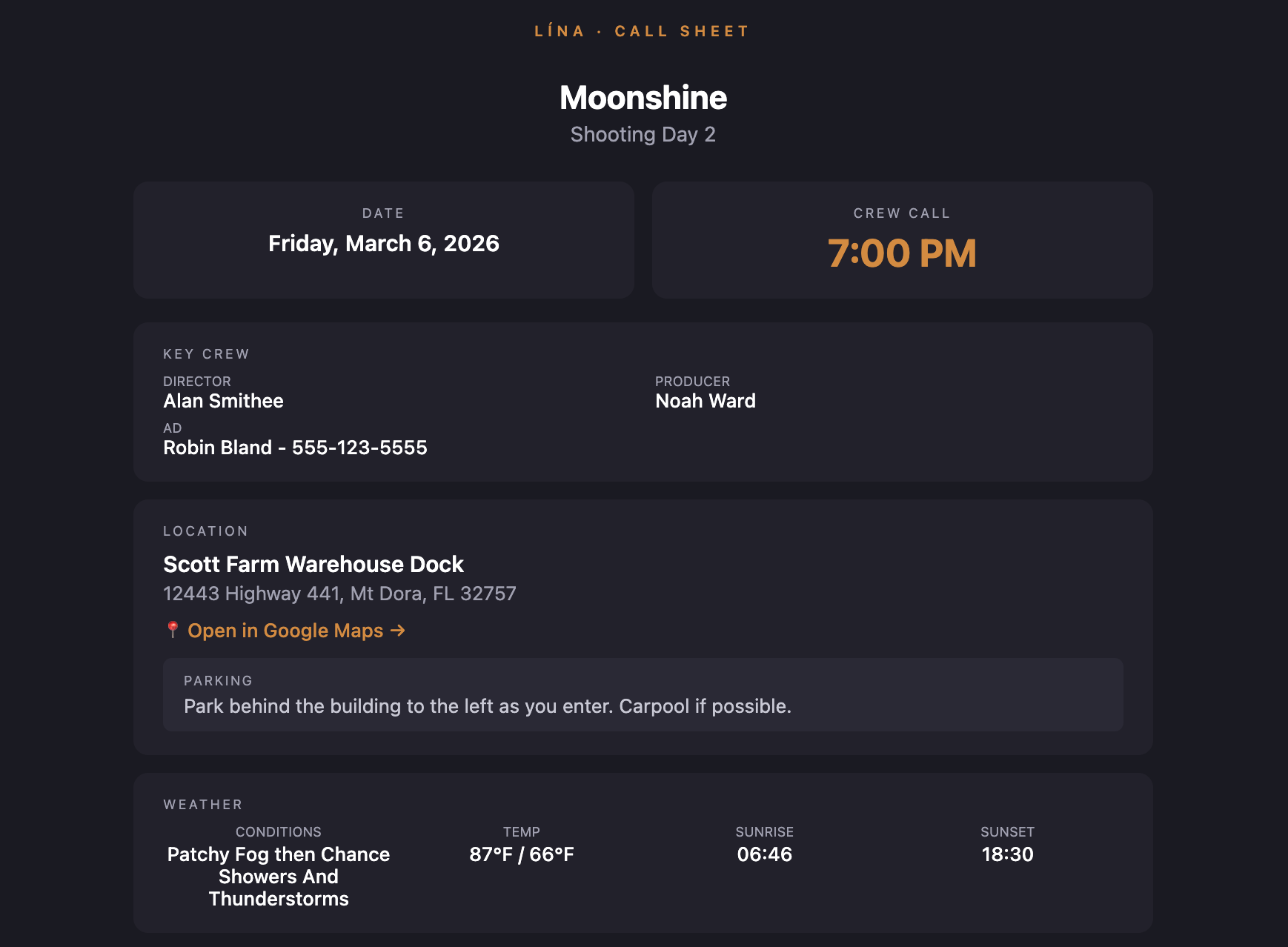
Generate professional call sheets from your schedule data with one click. Includes weather, crew calls, scene details, and everything your team needs to show up prepared. Export as PDF or send directly via email with read tracking.
AUTO-GENERATED FROM SCHEDULE
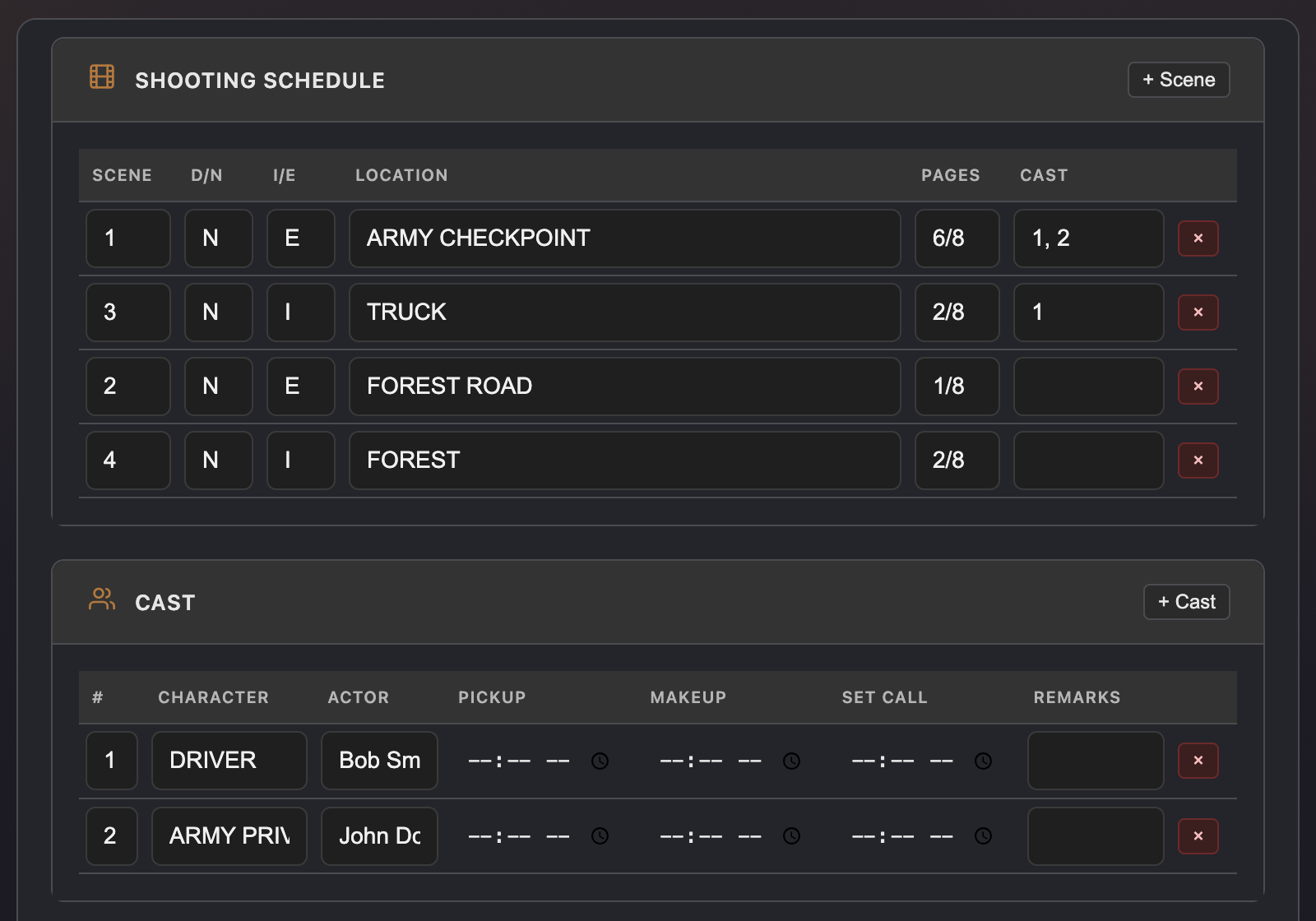
Select a shooting day from your schedule and Lína builds the call sheet automatically. Scenes, cast, locations, and breakdown elements are all pulled in and editable if needed.
WEATHER & SUNRISE/SUNSET
Automatic weather data for your shooting location, including sunrise and sunset times. Your crew knows what to expect before they arrive on set.
PDF EXPORT & PRINT
Export clean, professional call sheet PDFs ready for printing or sharing. The layout follows industry conventions so your crew can find what they need at a glance.
EMAIL WITH READ TRACKING
Send call sheets directly to your cast and crew via built-in email delivery. Read tracking shows you who's opened the call sheet, so you know who to follow up with.
Connected: Call sheets pull from the schedule, breakdowns, cast/crew contacts, and location data. Everything you've entered upstream shows up here; no copy-pasting from spreadsheets.